
Plugable currently supports up to two external displays when using our MST triple-display docking stations and graphics adapters with Qualcomm Snapdragon-based Windows on ARM notebooks that support USB-C video output. Three external displays through these MST products have not currently been validated by Plugable on Snapdragon-based Windows systems.
Snapdragon processor-based systems can be identified by right-clicking the Start Menu and selecting Settings, then navigating to System > About. The top of the page will show basic system specifications, with additional processor information available under Device specifications.
Below is an example from the Microsoft Surface Laptop 7 with a Qualcomm Snapdragon processor.
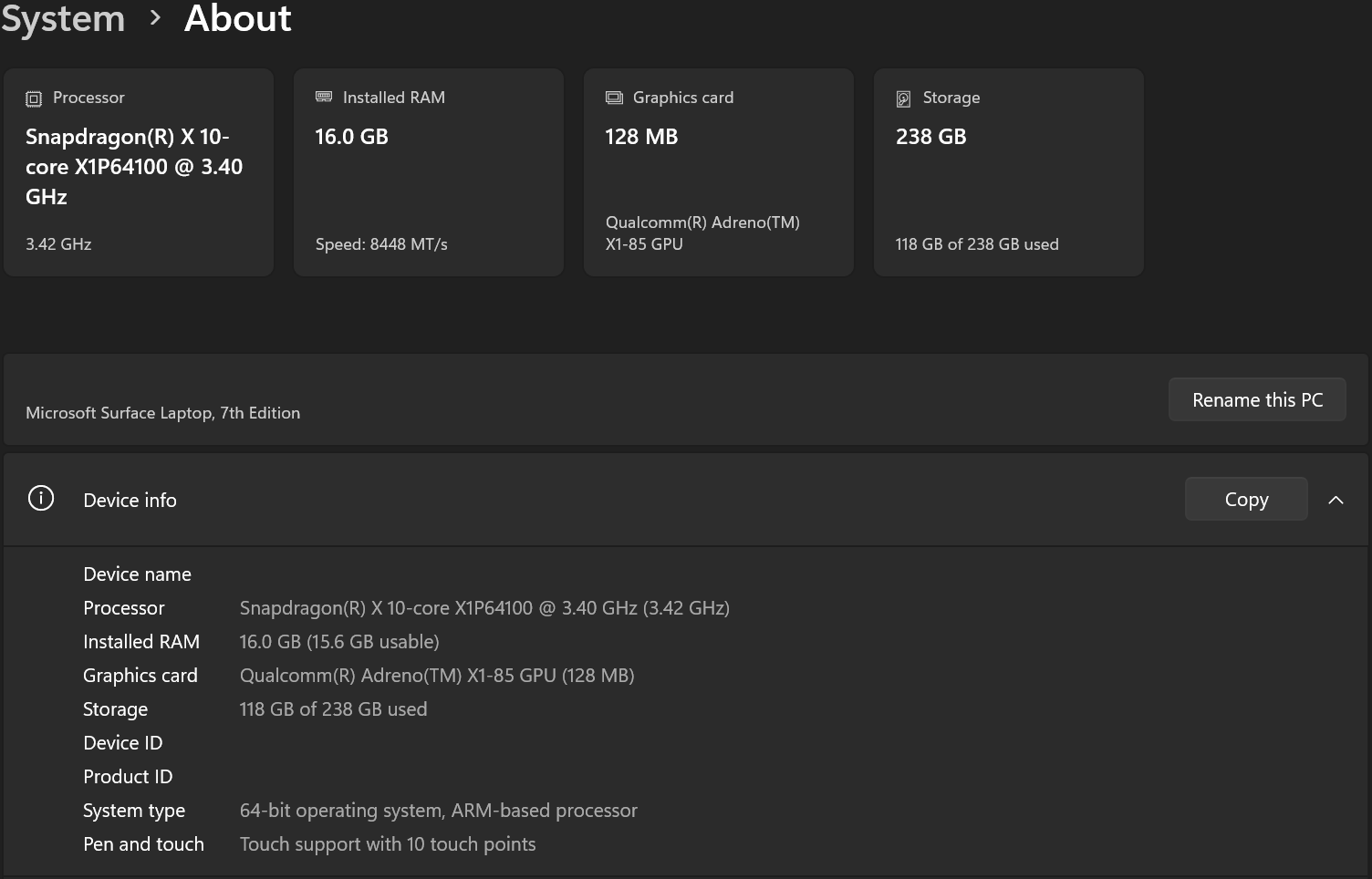
Microsoft Surface Laptop 7
Plugable has specifically tested the Qualcomm Snapdragon-based Microsoft Surface Laptop 7 with both the USBC-MSTH3 USB-C to HDMI Adapter for Triple Monitors and the UD-MSTH3 USB-C Triple Monitor Docking Station.
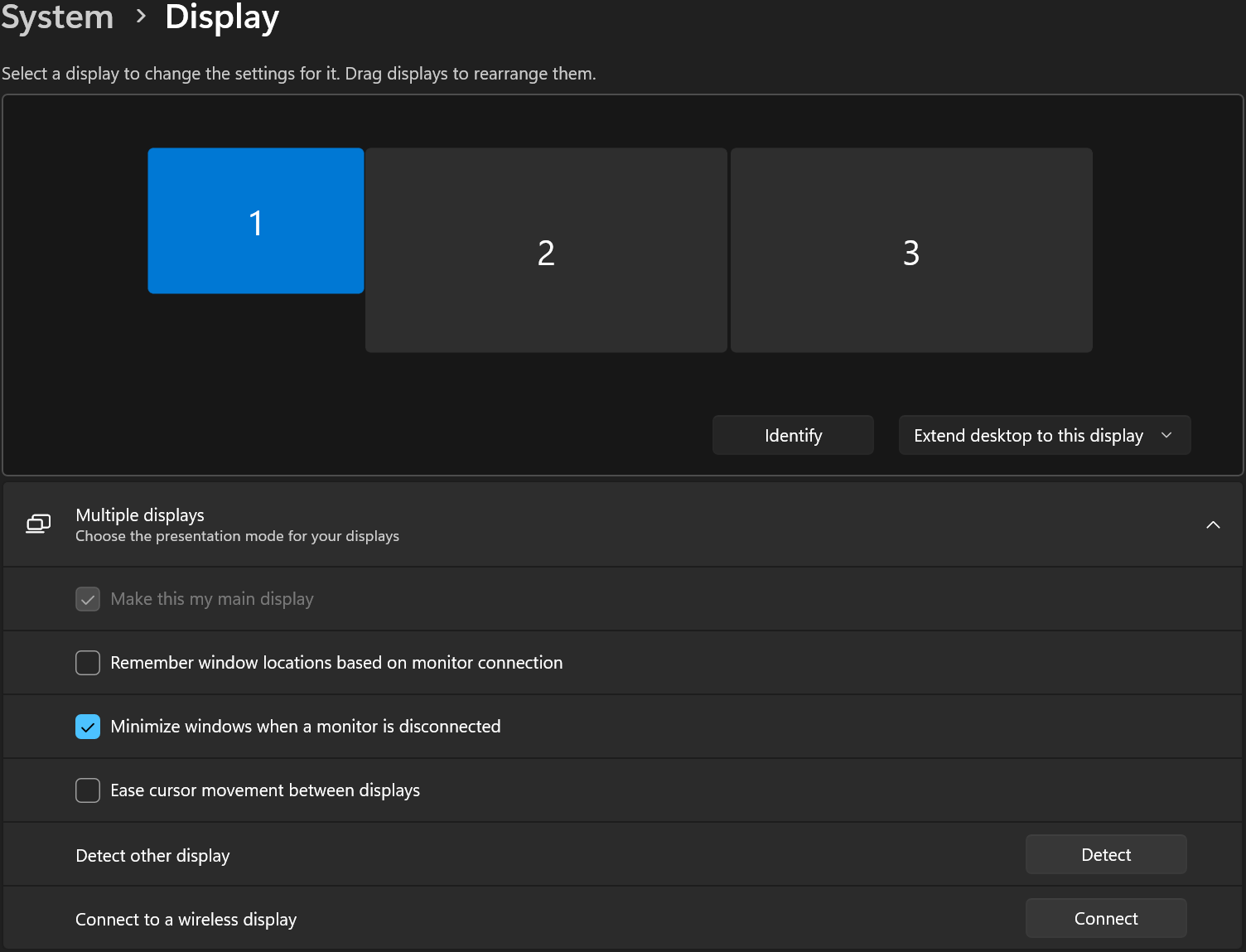
During testing, the Surface Laptop 7 detected and enabled a maximum of two external displays. This behavior remained the same under each of the following configurations:
- Laptop display enabled and set as the primary display
- Laptop display enabled but not set as the primary display
- Laptop display disabled
- Laptop lid closed
Disabling the built-in laptop display or closing the lid did not allow a third external display to be detected.
In the example below, only the displays connected to HDMI 1 and HDMI 2 are detected and enabled by Windows. The display connected to HDMI 3 remains inactive.
Applicable to
If you have any questions, please feel free to contact us at support@plugable.com, and we'll be happy to help!
