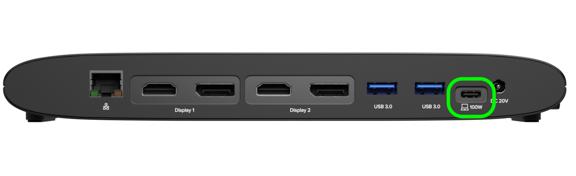
To set up your UD-6950PDH, you must connect the included USB-C cable to the designated host port. The location of this port depends on which version of the dock you own:
Version 2 (Silver/Aluminum): Connect the cable to the USB-C port located on the side of the dock. Look for the port labeled "PD 100W" with a laptop icon.
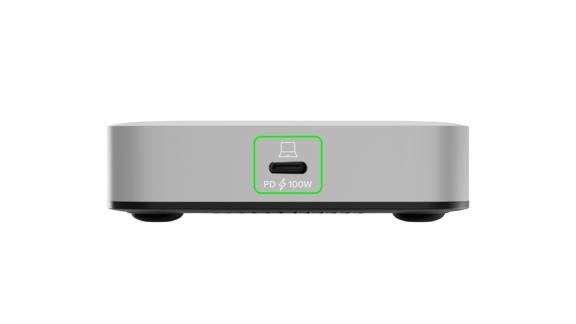
Note: Do not use the front-facing USB-C port to connect your laptop or desktop. The front port is for accessories only (5Gbps data and 7.5W charging). This is intended to connect USB accessories such as a keyboard, a mouse, or for charging such as a smart phone.
Version 1 (Original Black Plastic): Connect the cable to the USB-C port located on the back of the dock, labeled "PD 100W".