
Yes! Our USBC-NVME enclosure does support SMART data in Windows 10+ and Linux. Apple macOS is not currently supported for USB to NVME SMART data access.
What is S.M.A.R.T?
Self-Monitoring, Analysis, and Reporting Technology - SMART is a hard drive (HDD) or solid-state drive (SSD) built-in monitoring software. This provides access to the drive's internal state including temperature, media status, and can help to predict imminent hardware failure or diagnose hardware failures.
How to Access SMART
Access to SMART data is software dependent, we have tested our enclosures with smartmontools, a free, cross platform SMART reading and monitoring utility. The command line utility smartctl is the primary method for accessing the SMART data from the Linux or Windows terminal.
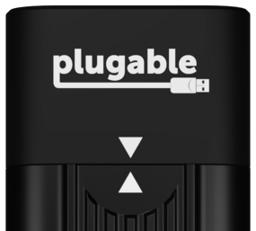
Our USBC-NVME enclosures with Realtek RTL9210 chipset does not require any special arguments and can be simply accessed like any internal drive. We thank the SmartMonTools team for ensuring this enclosure works smoothly with smartctl!
smartctl -a /dev/sdb
The Realtek based USBC-NVME can be identified by the two white triangles, one on the case and one on the cover, pointing towards each other.

For our original JMicron enclosures the SMART data can be read using the "-d sntjmicron" argument at the command line, for example:
smartctl -a -d sntjmicron /dev/sdb
The JMicron based USBC-NVME can be identified by the two white semi-circles with black triangles, one on the case and one on the cover, pointing towards each other.
