
Identifying your Plugable device’s model number and serial number can help with troubleshooting, and warranty support. This article outlines where to find these labels on most Plugable products.
Model Number Location
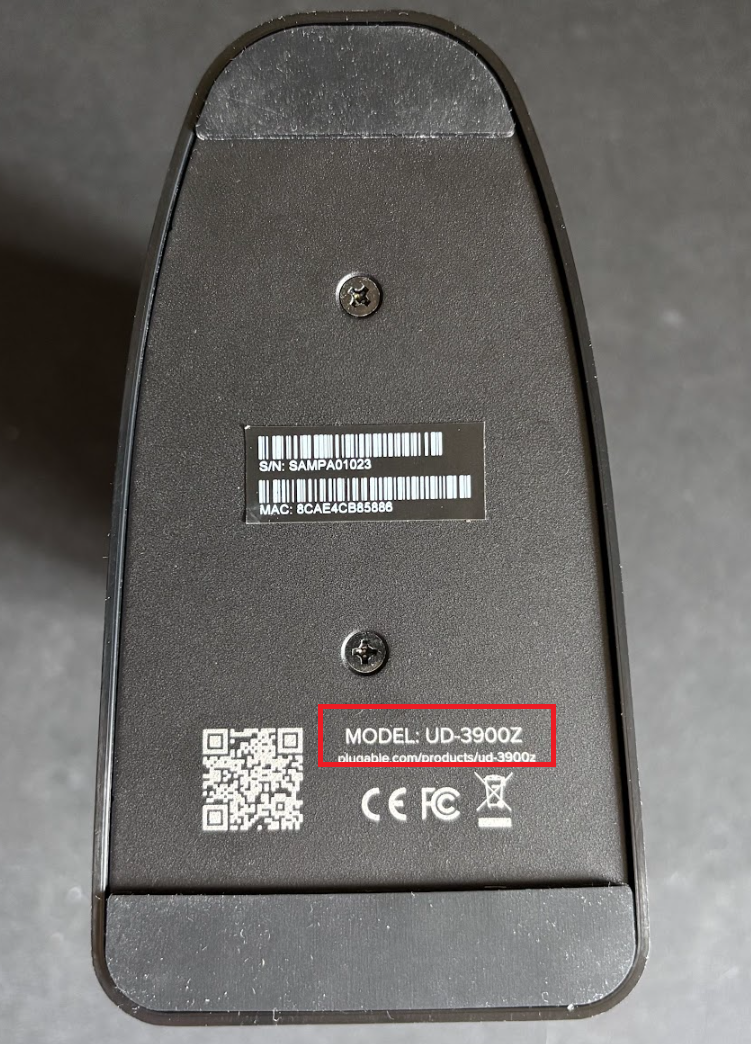
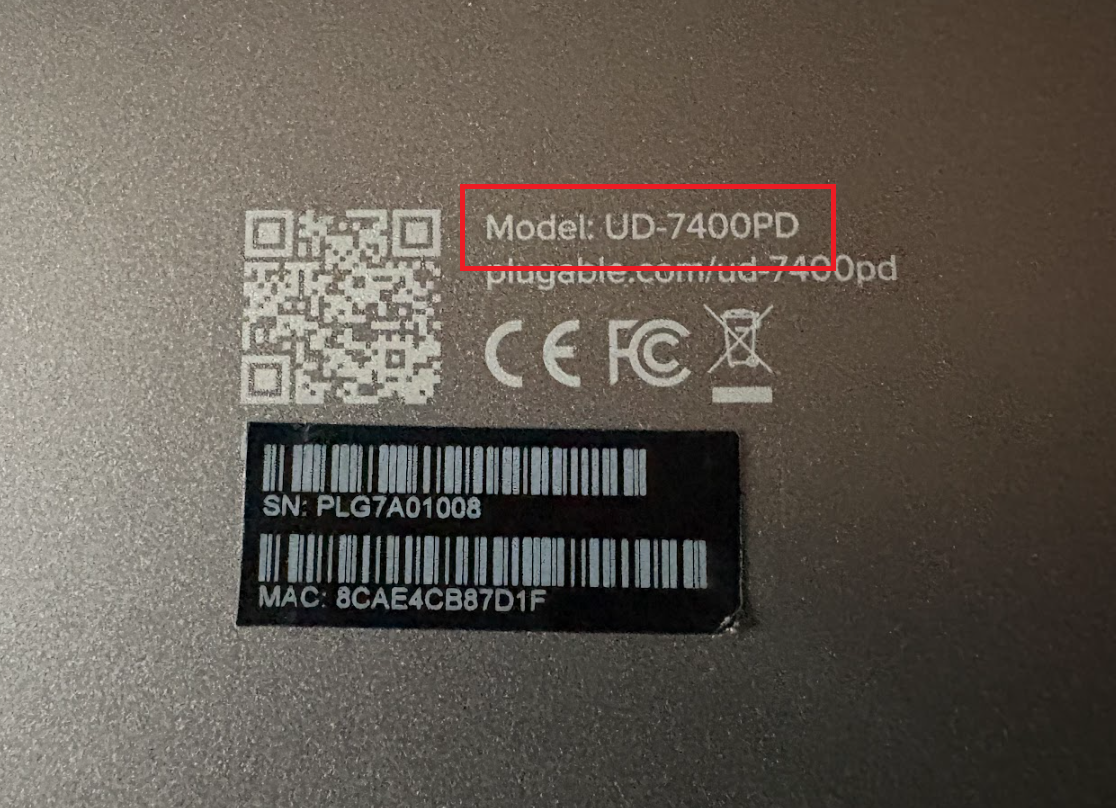
The model number is typically printed on a label on the underside of the device. On smaller hubs, it may be etched into the chassis instead of appearing on a sticker, and sometimes it may be white silkscreen on black plastic.
Common model number prefixes include:
- UD-
- TBT-, TBT3-, TBT4-, TBT5-
- USBC-, USB3-, USB2-
- UGA-
Model number example image:
Serial Number Location
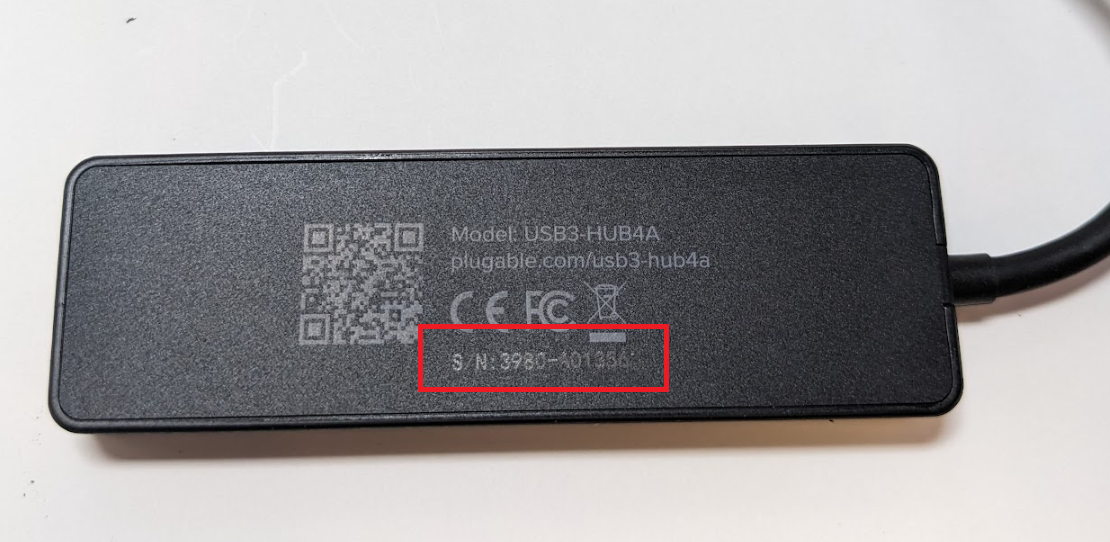
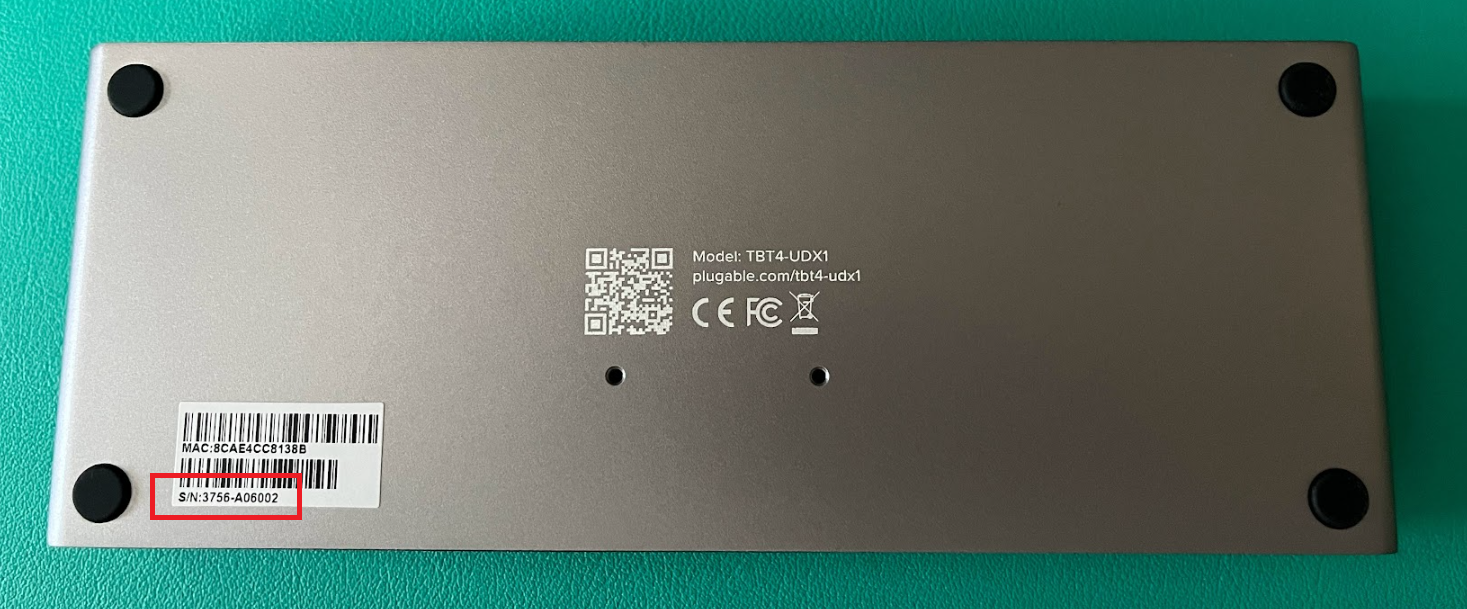
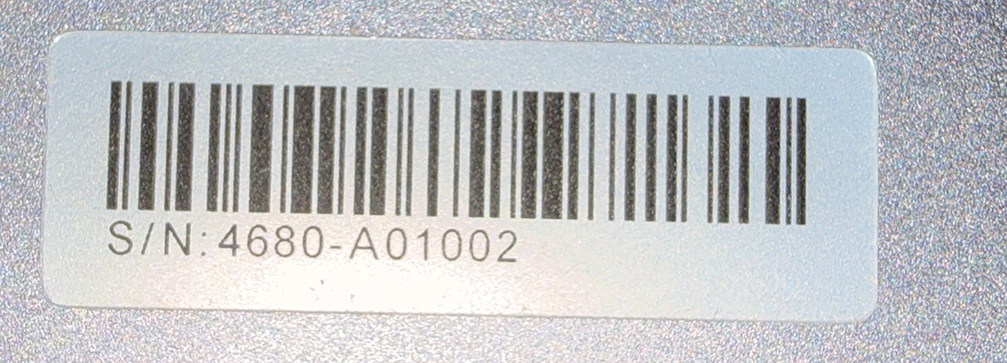
Most devices also include a serial number (S/N) on the underside:
- Usually printed on a sticker
- On compact devices, it may be etched into the housing
- Some models may show a MAC address instead of a serial number — this can be used in place of the serial number when contacting support
Modern Plugable serial numbers typically follow this format: ####-A##### (Though variations may exist on older products.)
Serial number example image:
MAC Address in Place of Serial Number
If your device displays a MAC address instead of “S/N,” you can provide this to the support team as an equivalent identifier.
MAC address example image:

If you have any questions please feel free to contact us at support@plugable.com and we'll be happy to help!
